
'%3e%3cpath%20d='M555.368%20122.13V29.7772C555.368%2013.3404%20541.996%200.107422%20525.698%200.107422H444.35V122.13H471.931V24.6233H518.316C523.609%2024.6233%20527.927%2028.9414%20527.927%2034.2346V121.99H555.368V122.13Z'%20fill='white'/%3e%3cpath%20d='M0%200.107422V24.6233H42.9028V122.13H70.4831V24.6233H113.386V0.107422H0Z'%20fill='white'/%3e%3cpath%20d='M396.154%2024.6233V0.107422H313.552V24.6233H341.133V97.6137H313.552V122.13H396.154V97.6137H368.574V24.6233H396.154Z'%20fill='white'/%3e%3cpath%20d='M237.776%200.107422V48.8606H181.78V0.107422H154.199V122.13H181.78V73.3764H237.776V122.13H265.356V0.107422H237.776Z'%20fill='white'/%3e%3cpath%20d='M868.224%200.107422H754.838V13.8976H803.87V122.13H819.192V13.8976H868.224V0.107422Z'%20fill='white'/%3e%3cpath%20d='M1311.88%200.107422H1296.56C1296.56%2030.0558%201272.32%2054.2931%201242.37%2054.2931H1216.32V0.107422H1201V122.13H1216.32V67.9439H1296.56V122.13H1311.88V54.2931H1284.99C1301.29%2041.8958%201311.88%2022.2553%201311.88%200.107422Z'%20fill='white'/%3e%3cpath%20d='M1005.99%20122.13L949.711%200.107422H949.433H933.553H933.275L877%20122.13H893.158L904.301%2097.753C916.002%20101.514%20928.26%20103.464%20940.796%20103.464C953.751%20103.464%20966.427%20101.375%20978.406%2097.3351L989.828%20121.99H1005.99V122.13ZM940.936%2088.6989C930.489%2088.6989%20920.32%2087.1666%20910.709%2084.2414L941.632%2017.2407L972.416%2083.8235C962.387%2087.0273%20951.801%2088.6989%20940.936%2088.6989Z'%20fill='white'/%3e%3cpath%20d='M714.582%206.79357V0.107422H687.002V6.93288C687.002%2030.0558%20668.197%2048.8606%20645.074%2048.8606H631.144V0.107422H603.564V122.13H631.144V73.3764H645.074C668.197%2073.3764%20687.002%2092.1812%20687.002%20115.304V122.13H714.582V115.443C714.582%2093.017%20703.438%2073.2371%20686.584%2061.1185C703.438%2048.9999%20714.582%2029.22%20714.582%206.79357Z'%20fill='white'/%3e%3cpath%20d='M1138.46%200.107422V106.668L1060.73%200.107422H1040.39V122.13H1055.71V15.5691L1133.58%20122.13H1153.78V0.107422H1138.46Z'%20fill='white'/%3e%3c/g%3e%3cdefs%3e%3cclipPath%20id='clip0_37_148'%3e%3crect%20width='1312.16'%20height='122.579'%20fill='white'%20transform='translate(0%200.107422)'/%3e%3c/clipPath%3e%3c/defs%3e%3c/svg%3e)

Learn Maya in 14 Days Free
Inside the Think Tank Training Centre portal, you'll model your first robot in Maya. Blank scene to finished asset, in 14 days. Even if you've never opened the software before.
Finishers compete for $41,000+ in Think Tank scholarships. 7 winners. Up to $7,500 off your tuition. Details belowWe're sorry, our programs are only available to students over 18 years of age.



















About
TTTC
20 years training the finest artists. Think Tank Training Centre is one of the VFX schools with the highest placements in the industry. Over 100 placements in the past 10 months, in the shortest period of training.
Behind each program, webinar or in-person event is the same philosophy. It's a drive to give CG artists the tools and mentoring they need to expand their vision and build meaningful connections in the industry.




What You'll Build
By Sunday, you'll have modeled your first robot in Maya.
Even if you've never opened a 3D program before, you'll walk away from the 14 days with a finished, beautiful robot on your screen. Same software the studios use. Same workflow the pros use. Built one polygon at a time, taught by one of the best in the industry: Raffael Frank.
- Block out, refine, and detail a full character model
- Learn the same Maya tools used at ILM, Sony, and Disney
- End the week with a finished render to show the world
The 14-day Map
Day 1
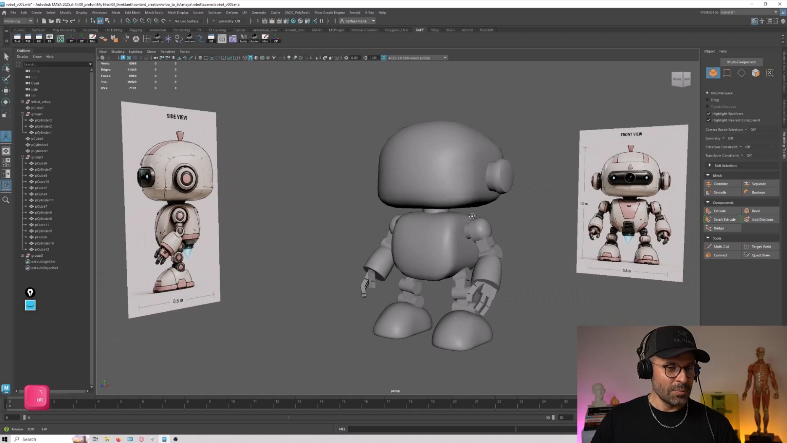
Character Blockout in Maya
- Set up Maya and import reference images
- Block the full character with primitive geometry
- Focus on proportion and silhouette, not detail
- Organize the scene and mirror for symmetry
Day 2
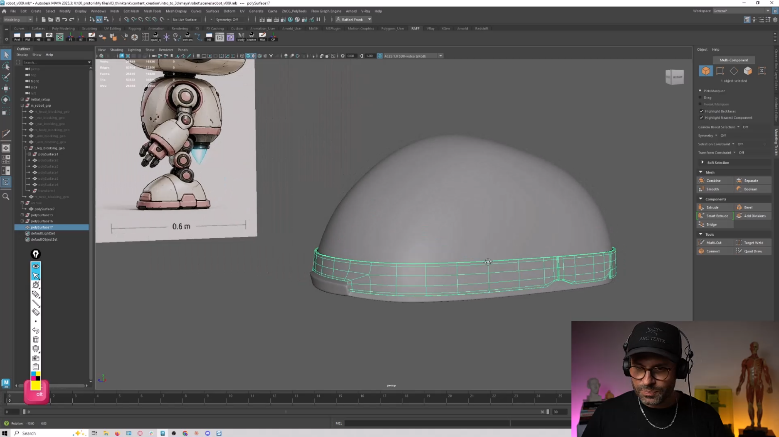
Hard-Surface Topology
- Transition into clean hard-surface modeling
- Learn topology and edge flow
- Refine forms with smoothing and support edges
- Fix n-gons and reversed normals
Day 3
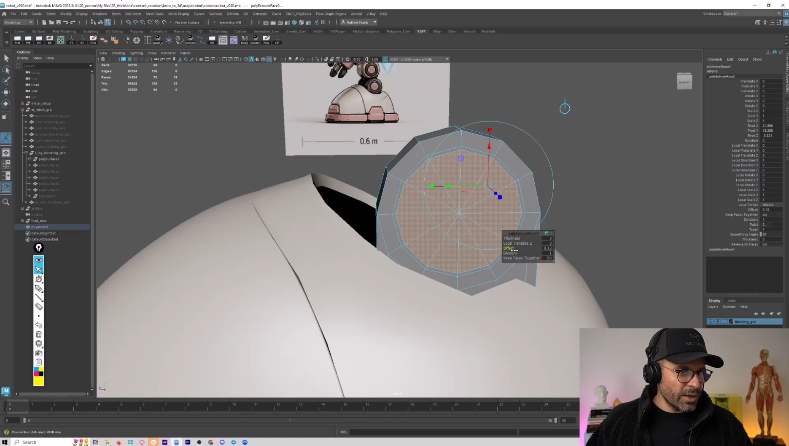
Sculpting & Surfaces
- Assign Blinn materials to improve model readability
- Sculpt proportions and forms with symmetry
- Refine surfaces with bevels, edge loops, and hard/soft edges
- Clean up topology around cutouts and transitions
Day 4
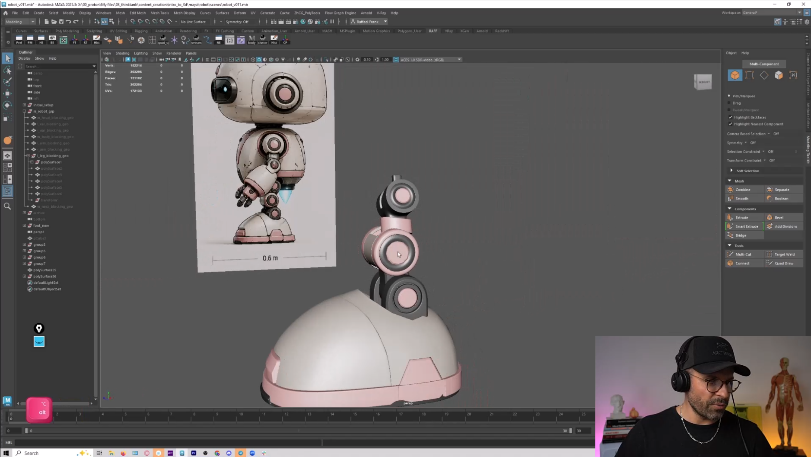
Leg Construction
- Break the leg into mechanical parts
- Build components with extrusion and bevels
- Create a custom ball-and-socket joint
- Clean, mirror, and assemble the leg
Day 5
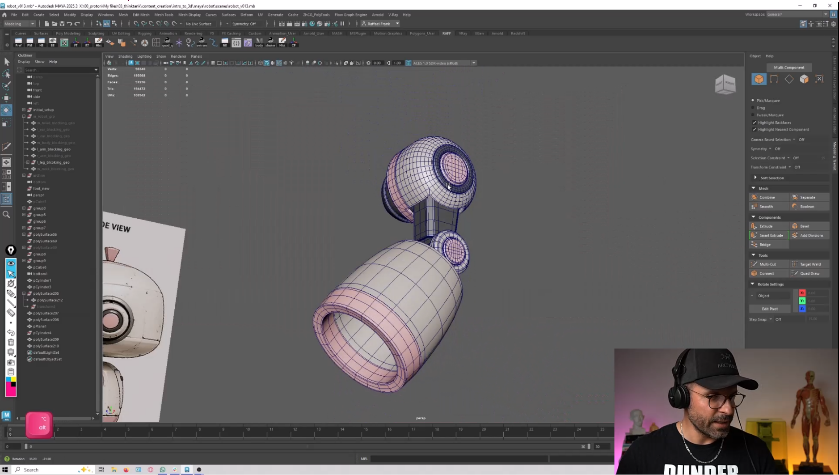
Arm Construction
- Build the shoulder mechanism with Conform and mirroring
- Construct upper and lower arm from cylinders
- Add detail with extrusions and support loops
- Clean and finalize the arm assembly
Day 6 + 7
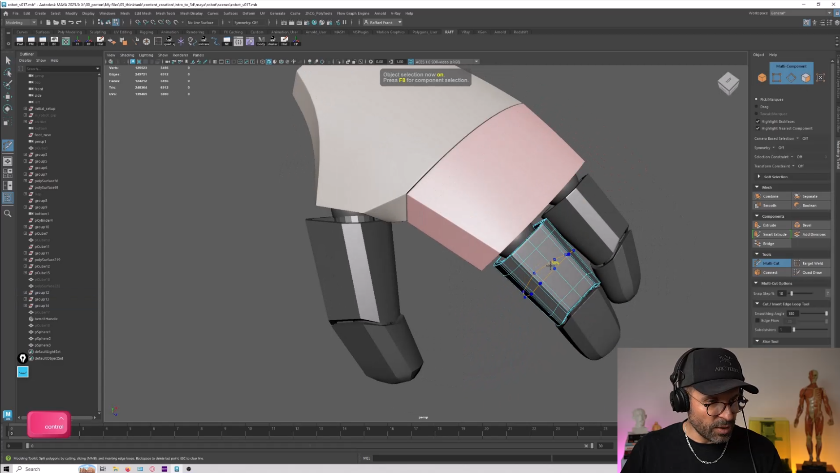
Hand Construction & Workday
- Block the palm and create finger sockets
- Build articulated finger and thumb segments
- Add palm curvature with a Bend Deformer
- Join the finished hand to the arm
Day 8
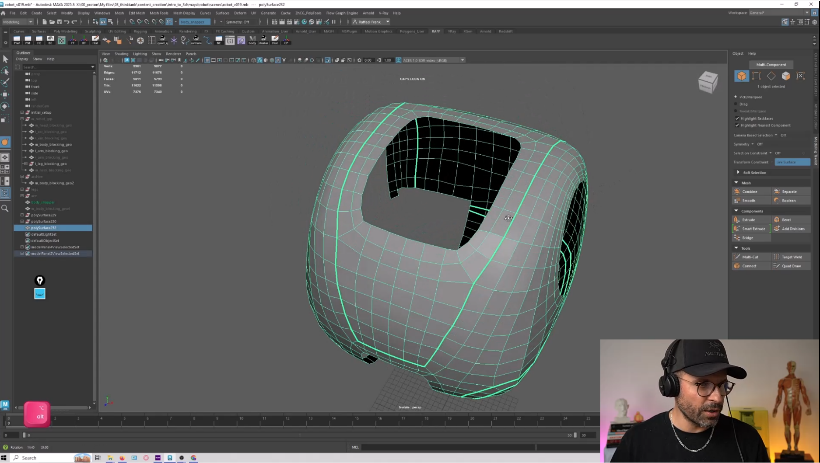
Torso & Panel Flow
- Clean the scene and refine the torso silhouette
- Rebuild the torso with Quad Draw topology
- Construct clean arm and leg sockets
- Define panel flow with redirected edge loops
Day 9
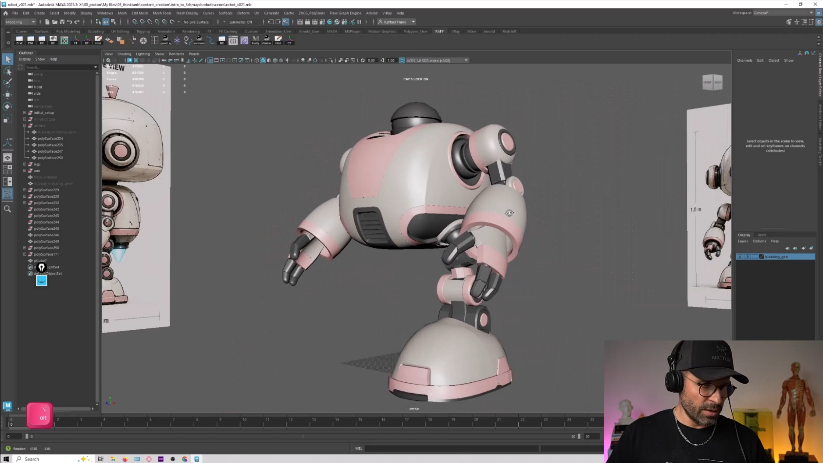
Panels & Connections
- Align and separate the torso into panels
- Engineer arm and leg connection sockets
- Add thickness, bevels, and joint sleeves
- Refine topology and mirror the panels
Day 10
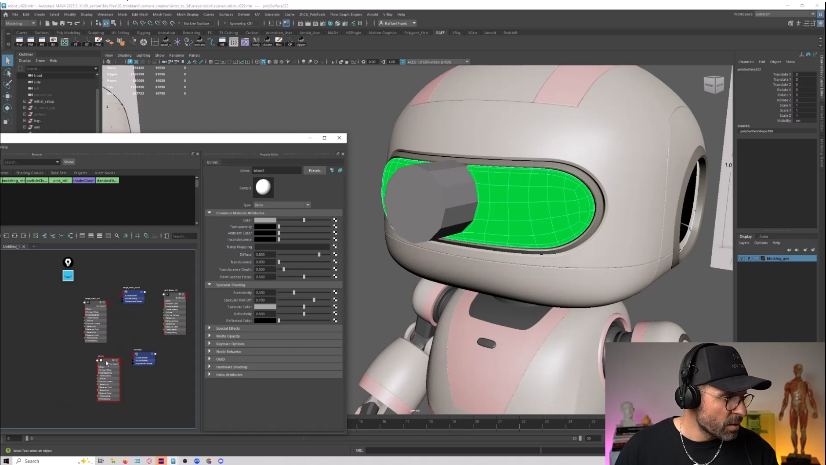
Head & Visor
- Refine the head and cut openings with Booleans
- Shape panel lines with thickness and bevels
- Build and integrate the visor and socket
- Clean up Boolean topology and the camera aperture
Day 11
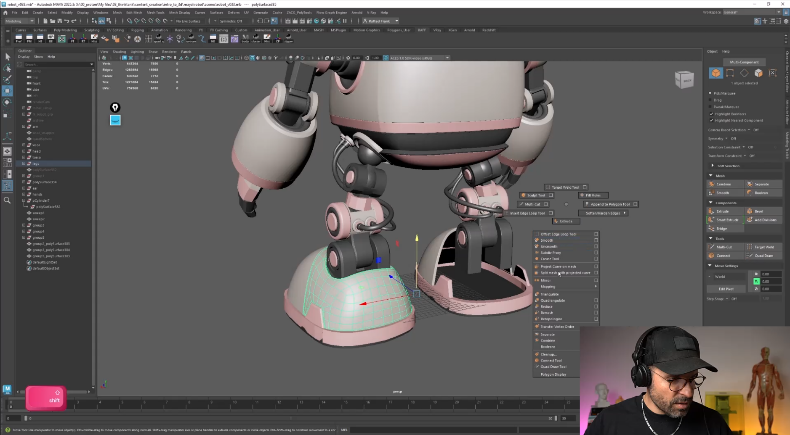
Final Assembly
- Build recessed lenses and eye sockets
- Add sensor sockets, ears, and joint sleeves
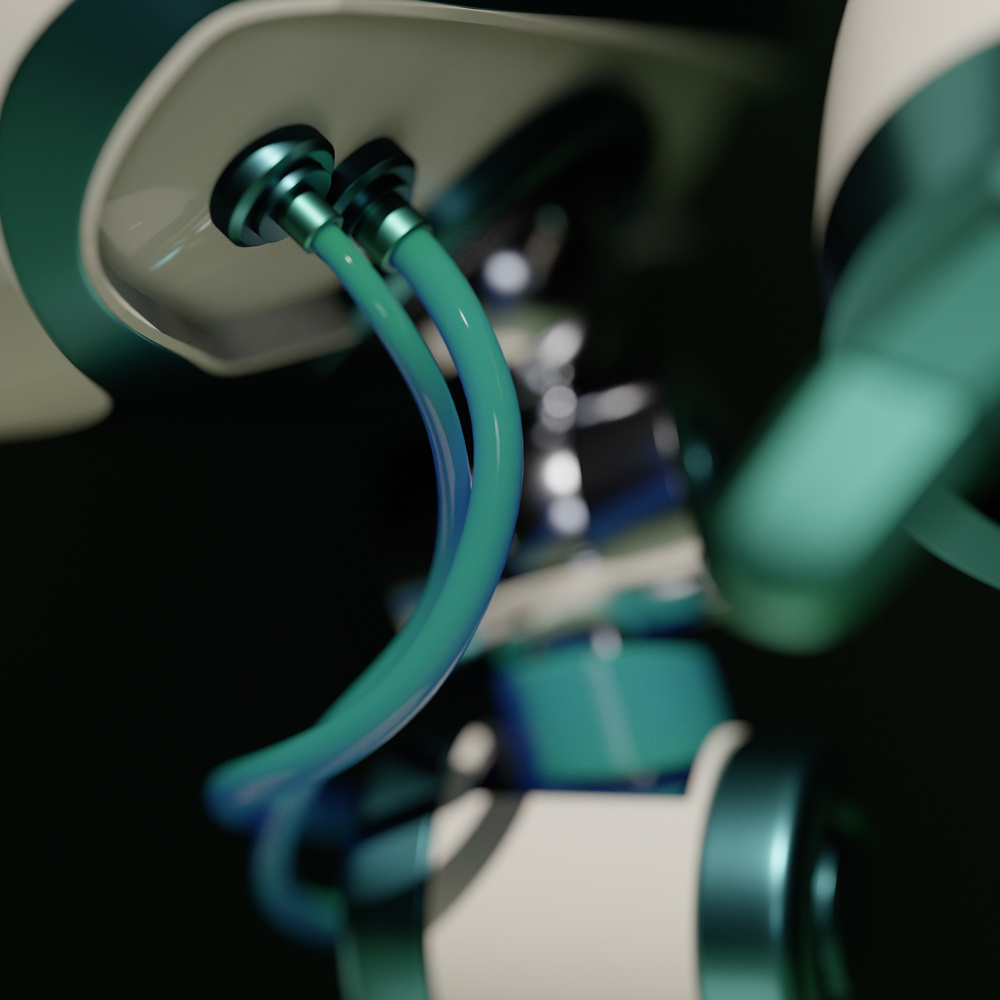
- Create cables and hoses with Sweep Mesh
- Build connection sockets and mirror details
Day 12
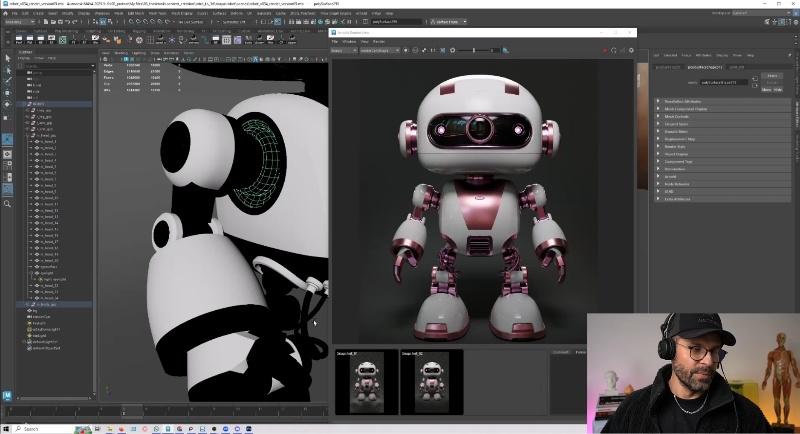
Look Development
- Set up the scene, lighting, and HDRI environments
- Build and assign Arnold materials
- Compose presentation renders and camera framing
- Apply post-processing for a portfolio-ready render
Day 13 + 14
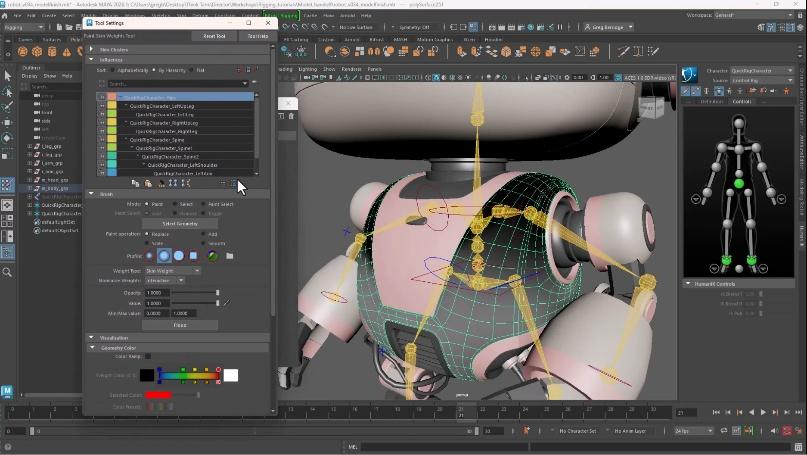
Rigging & Final Submission
- Explore hierarchies, joints, and constraints
- Compare IK and FK control systems
- Cover skinning, weight painting, and deformation
- Prototype a rig with Quick Rig
- Workday; final submission due EOD
- Live showcase to follow
Bonuses
- Midweek Q&A’s
- Showcase of work and feedback
- Discord Channel for Discussion
- Early Portl access with Intro to Maya + install help
- 30-day Maya trial walkthrough (Mac + Windows)
- John's industry sessions — how the path actually works

Your Instructor
Raffael Frank
Facial Modeler, Digital Domain · Advanced Term Supervisor at Think Tank Training Centre
By day, Raffael is a facial modeler at Digital Domain in Vancouver. By night, he mentors students at Think Tank Training Centre and gets them ready for their first industry jobs. He still sharpens his own craft with personal projects and traditional sculpting. He's the one teaching you Maya for the next 14 days.
Selected credits
- Black Adam
- The Quarry
- Morbius
- Ready Player One
- Avengers: Infinity War
- Avengers: Endgame
- Independence Day
- Thor: Ragnarok
- Game of Thrones
Win Your Tuition
Finish the 14 days. Submit your final robot. Then apply for $41,000+ in Think Tank Training Centre scholarships awarded across 7 students who go straight into Think Tank's full program with a serious head start on tuition. Free to apply. Serious students only.
How it works
- 1 On the next page after you submit the form, apply for the scholarship. It's free, but it's a real application. Bring your portfolio, your goals, and your reasons.
- 2 Finish the 14 days and submit your final robot.
- 3 Working VFX professionals pick the 7 winners on craft — fundamentals, problem-solving, topology — not follower counts.
This is for students who are serious about a career in 3D. If you're here to dabble, the program is still free, but the scholarship isn't the right fit.